

eBill
- eBill is a free service in BCV-net and BCV Mobile that lets you receive, manage, and pay your bills all in the same place.
- Since everything is digital, you’ll use less paper – plus, there’s no chance of data errors, since you won’t need to type in your payment information manually.
- Issuers use an electronic signature, so you can rest assured that the bill you receive is authentic and has been sent securely.
- Make your life easier and join the more than two million people and businesses who currently pay their Swiss invoices with eBill.
Getting started
- Log in to BCV-net or BCV Mobile.
- Go to the “eBill” tab and click “Activate eBill.”S
- elect the companies you want to receive eBill invoices from.

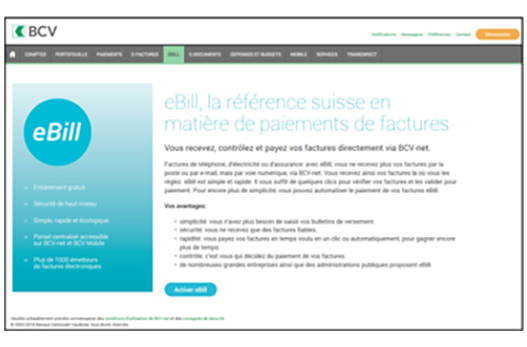
Step 1: Go to the eBill menu and click “Activate eBill.”
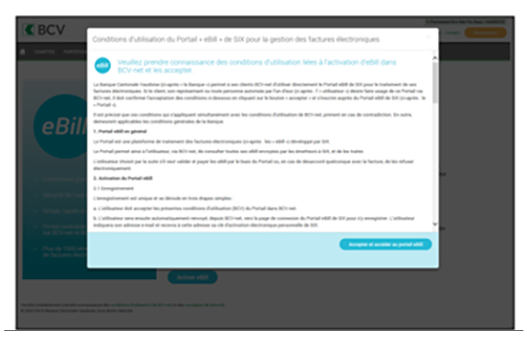
Step 2: Accept the eBill terms of use.
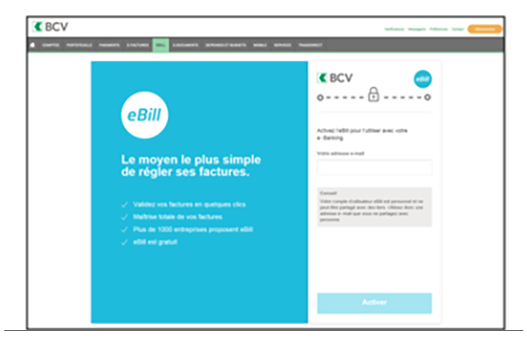
Step 3: Enter your email address and click “Activate.” Your eBill activation code will be sent to that email address.
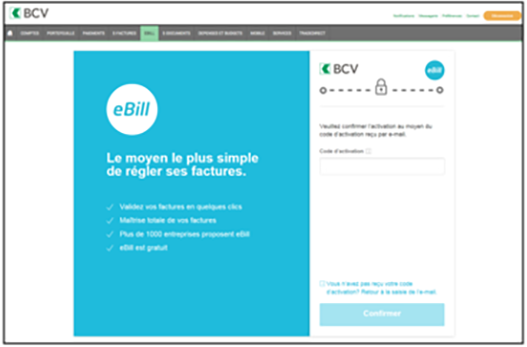
Step 4: Enter the activation code and click “Confirm.”
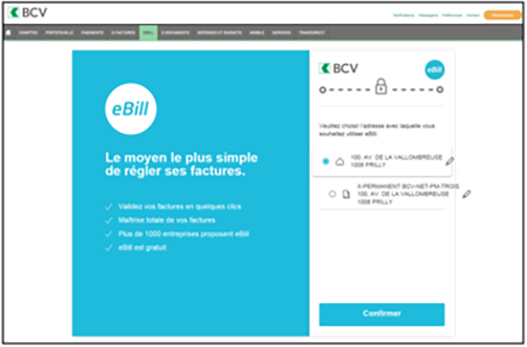
Step 5: Select the mailing address you would like to use for eBill and click “Confirm.”
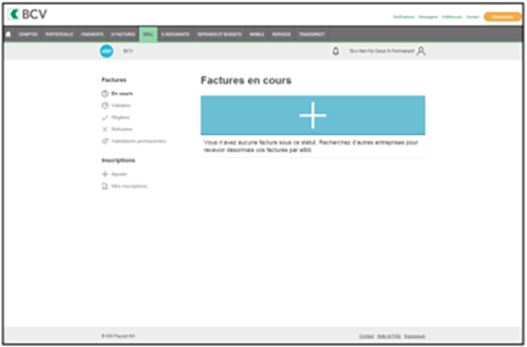
Step 6: On the home screen, select the companies you would like to receive eBill invoices from by clicking on “+ Add” or the large blue “+”.
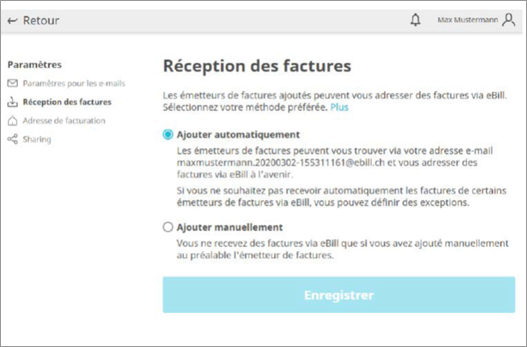
In the “Invoice receipt” section of your settings, you can choose how you wish to receive bills by selecting your preferred method and clicking “Save.”
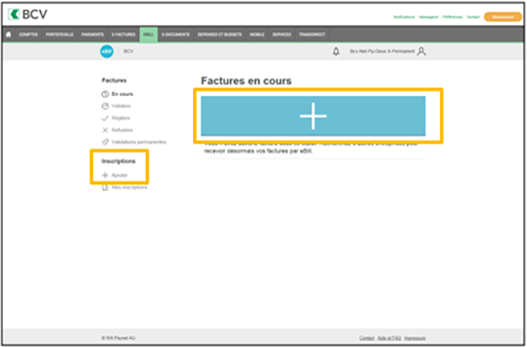
Step 1: On the home screen, click on “+ Add” or the large blue “+” button.
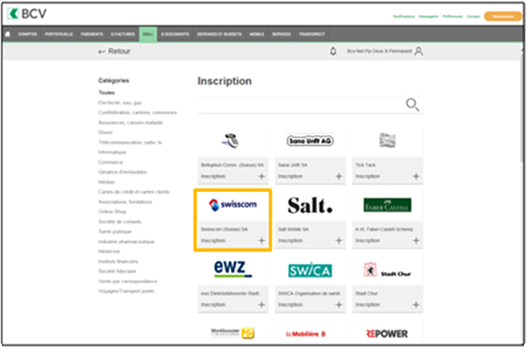
Step 2: Select the invoice issuer from which you would like to receive eBill invoices.
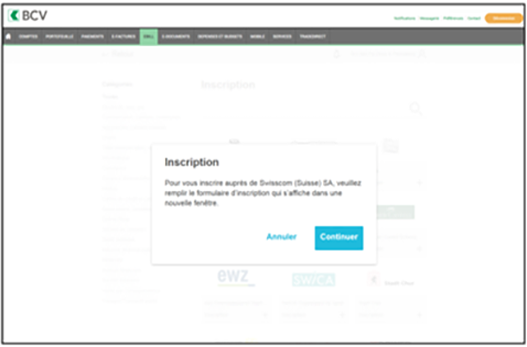
Step 3: Click “Continue.”
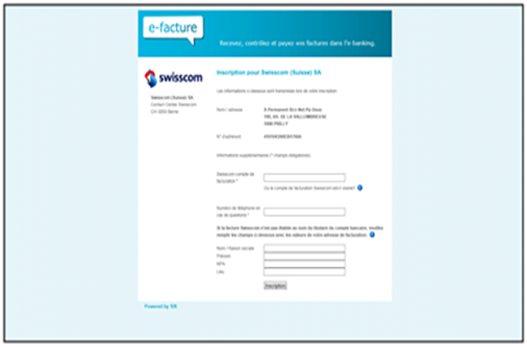
Step 4: Fill out the eBill issuer’s form, entering your current personal information.
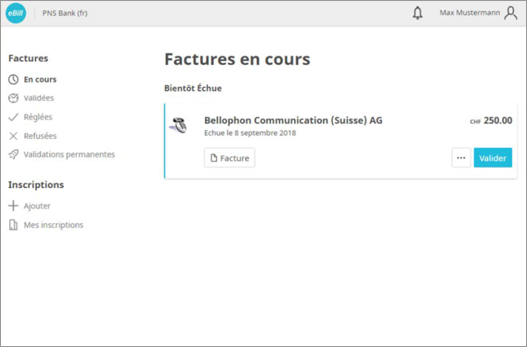
Step 1: In the eBill section of BCV-net or BCV Mobile, go to “Invoices” and then “Outstanding,” select the bill, make sure the information is correct, and approve it by clicking “Approve.”
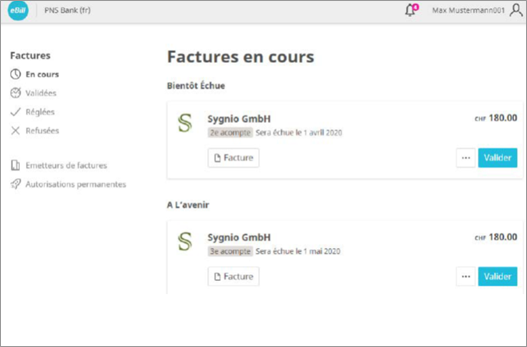
Step 2: Check the invoice details again, make any necessary changes, and approve the payment by clicking “Approve.”
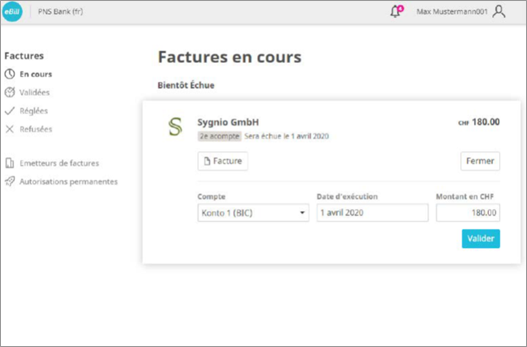
Step 3: The approved payment is moved to the “Approved” tab in the “Invoices” section. You can modify a payment in the list of your pending payments in BCV-net or BCV Mobile until the payment is executed. Once the payment has been made, the invoice will be moved to the “Completed” tab in the “Invoices” section of eBill.
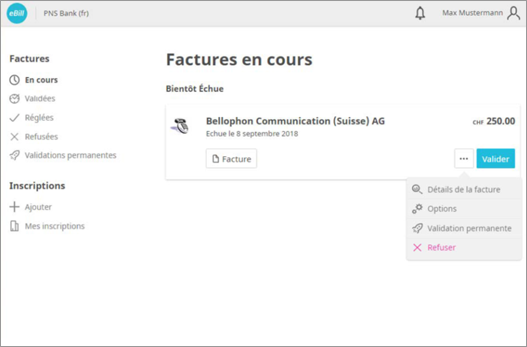
In the “Invoices” section of eBill, click on the … icon of the invoice you wish to reject and then click “Reject.” The bill will move from the “Outstanding” tab of your invoices to the “Rejected” tab.
You can set up a standing approval so that you don’t have to manually approve every invoice. To do this, simply follow the steps below.
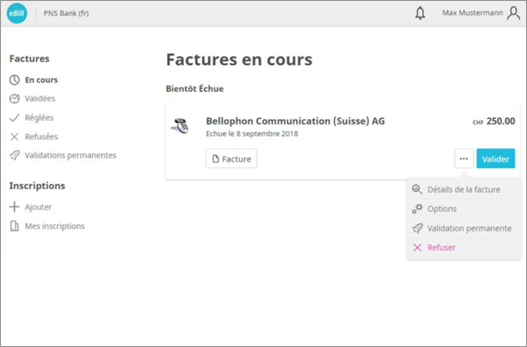
Step 1: Select the invoice you wish to automatically approve and click “Standing approval.”
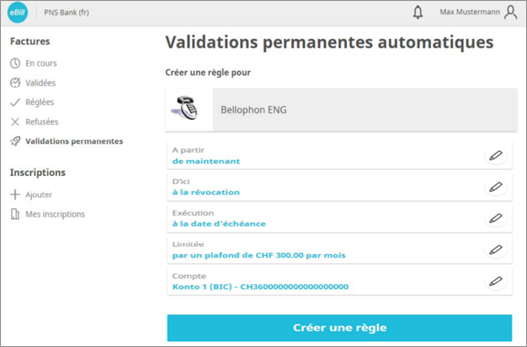
Step 2: Set criteria for your standing approval, and confirm these by clicking “Create.”
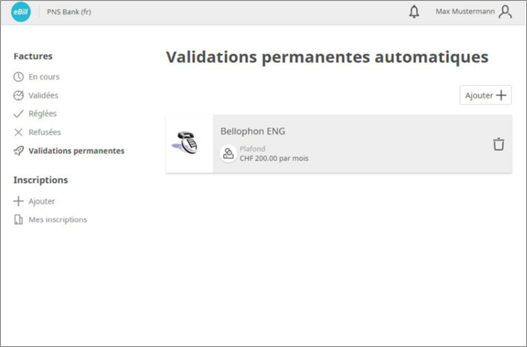
You can modify or delete standing approvals at any time by going to the “Standing approvals” tab in the “Invoices” section.
If an invoice issuer offers the option to pay eBill invoices in installments, you will receive a notification in the eBill portal. To use this method, follow the steps below.
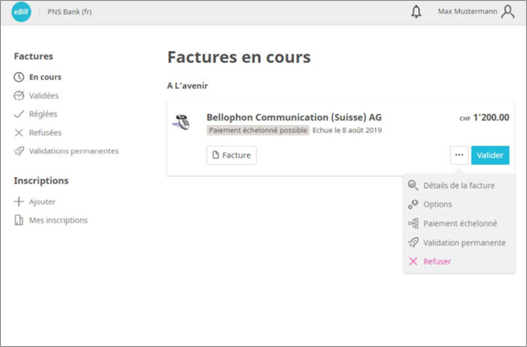
Step 1: Select an invoice and then click “Installment.” There, you can view possible installment groups.
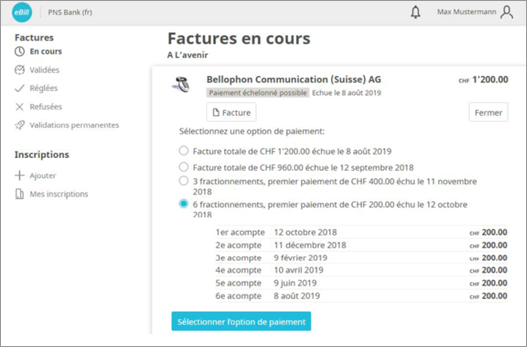
Step 2: Choose the installment group that works best for you and click “Save."
All invoice installments are displayed in your invoice overview in the same way as your normal individual invoices.
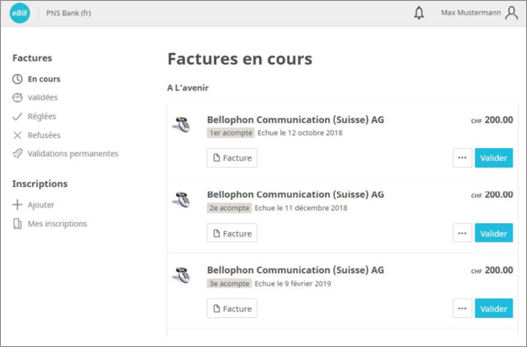
Step 3: Approveeach installment individually.
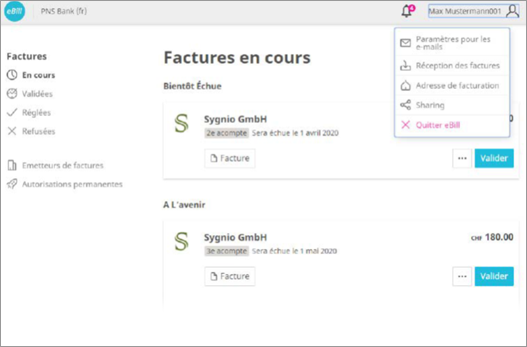
Step 1: To set up eBill sharing, click on the icon in the top right-hand corner and then click on “Sharing.”
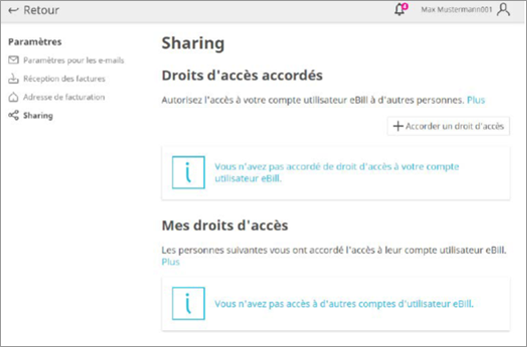
Step 2: There, you will see the access rights that you have granted and those that have been granted to you. To grant sharing access to someone, simply click on the “Grant access” button.
Enter the email address of the person you would like to authorize to access your account, and read and accept the legal disclaimer. That person will receive an email inviting them to eBill sharing.
They can then accept or reject your invitation on their eBill “Sharing” page. Invitations expire after 30 days.
If that person accepts your invitation, they will be authorized to approve and reject your invoices and add and delete invoice issuers for you.
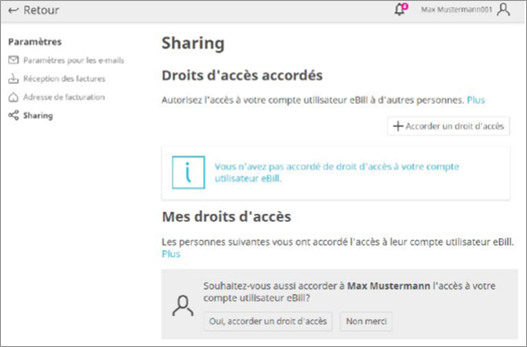
Step 3: After the authorized person accepts your sharing invitation, they can send you an invitation to grant you access rights to their user account..
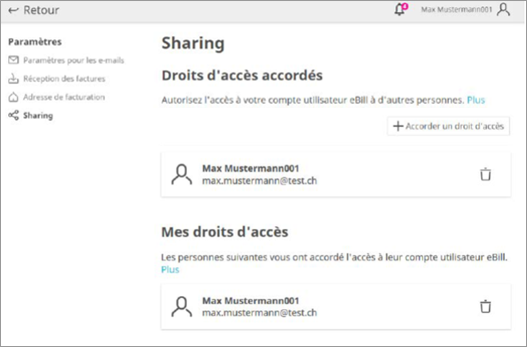
Step 4: You can delete access rights that you have granted and that have been granted to you at any time. To do this, click on the recycle bin icon.
